Write Mermaid and LaTeX in Markdown
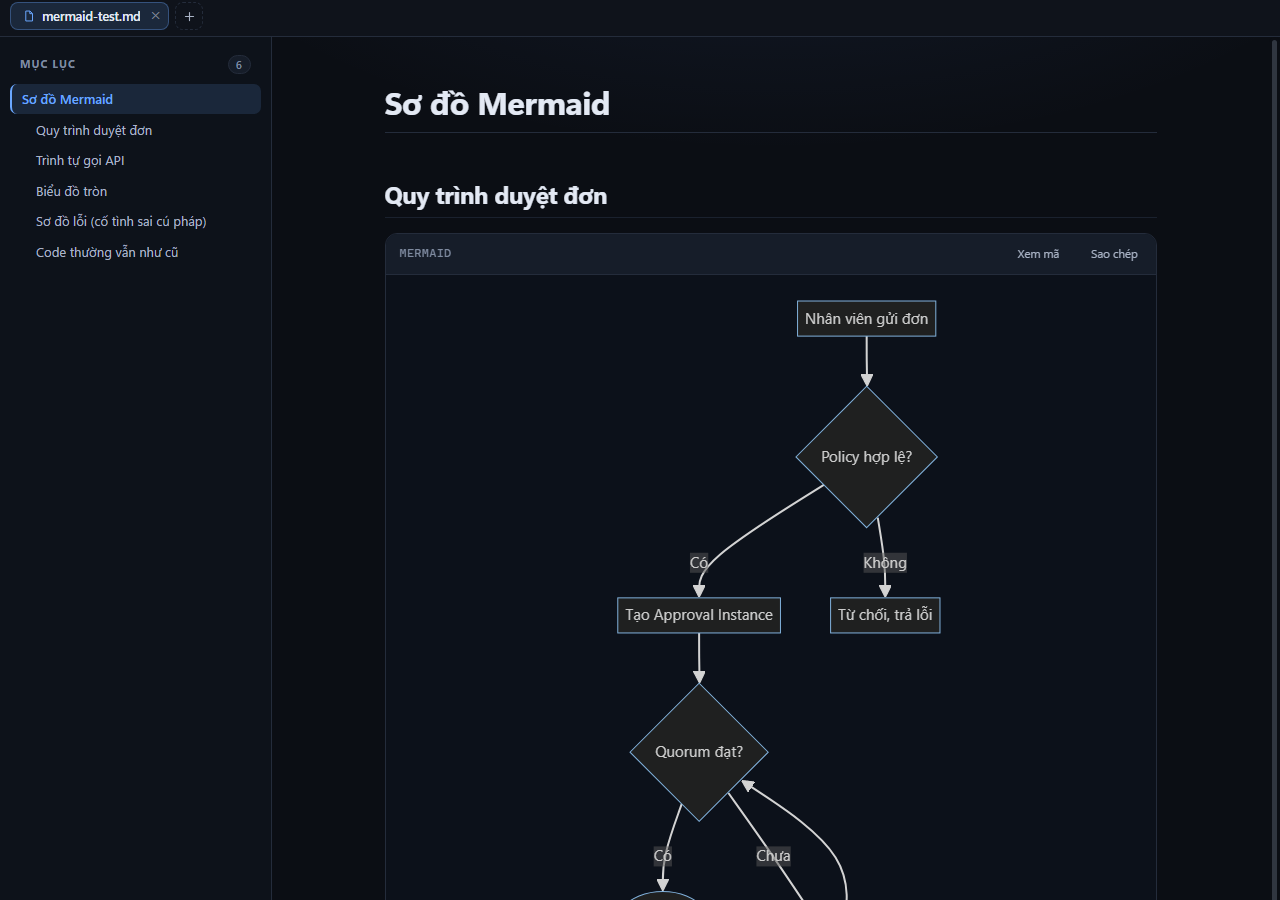
Keep diagram definitions and mathematical expressions in your Markdown source. MDFrame renders supported Mermaid and LaTeX syntax when you open or edit the document.
Write a Mermaid diagram
Use a fenced code block with the language mermaid:
```mermaid
flowchart LR
  Draft --> Review
  Review --> Publish
```
Paste that block into the Markdown editor and wait for the preview. If it does not render, check the fence language and diagram syntax. Ordinary code examples stay code rather than becoming diagrams.
Add inline and display maths
Use a supported inline expression such as $E = mc^2$ inside a paragraph. Put a longer expression between display delimiters:
$$
\frac{a}{b} + \sqrt{x}
$$
These are LaTeX maths expressions, not a complete LaTeX document. Unsupported commands may need a simpler equivalent. Examples inside code fences remain source text.
Load tools and external resources
MDFrame loads diagram and maths libraries only when the active document needs them. Before using these features offline, render the document while online so the required tools can be cached. App updates may require another online use.
External images and diagram resource URLs require permission for that document. An ordinary diagram made only of text and shapes does not require image-host access.
Export the result
For PDF, wait until diagrams and maths have rendered, then inspect the print preview. For Word, Mermaid diagrams become images; they do not become editable Word shapes. LaTeX maths remains source text rather than an editable Word equation.
Keep the .md file so you can revise diagram definitions and equations later. See the Markdown cheatsheet for headings, tables and code blocks.
Read .md files in your browser
Drop a file into MDFrame to see the formatted document, search it, print it, or export PDF/Word. Your file never leaves your device.
Open the app